
Patient app
Your personal companion.
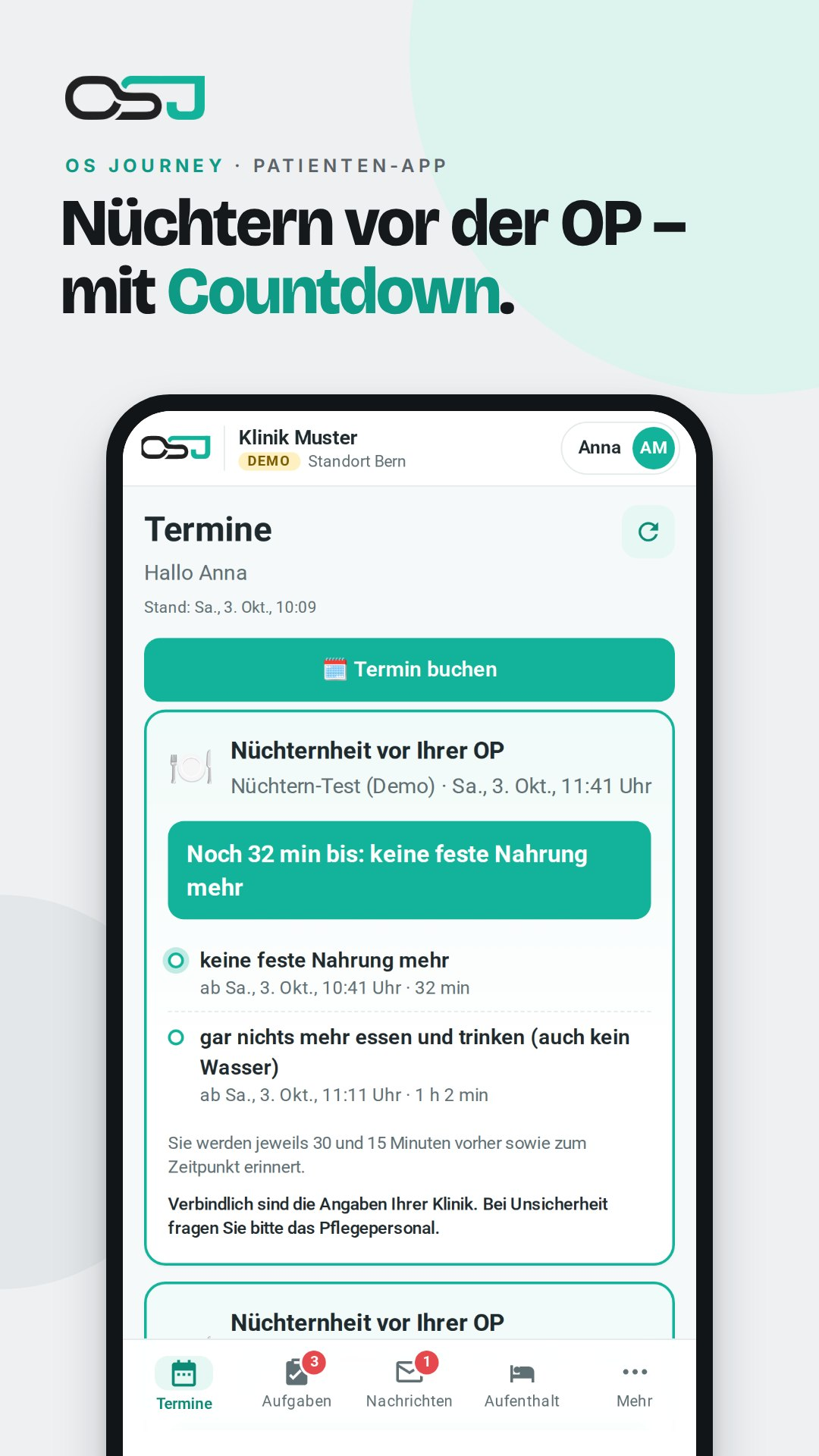
Appointments, advance information, access code and stay information in one place. The concept covers iOS and Android, as well as dedicated branding for departments and practices.


OS Journey supports the digital patient journey – with appointments, a patient app, digital reception, check-in, checkout and follow-up care. Connected to the shared data foundation of OS Board.
Experience the patient journeyAppointments, preparation and access to the clinic come together in the patient app. Push reminders and direct feedback connect patients with reception.
 SHARED DATA FOUNDATION
 Stage 1 of 5 · Prepare
The views illustrate the solution concept from the dossier. They show sample data, not a live patient interface.
Select an image to enlarge
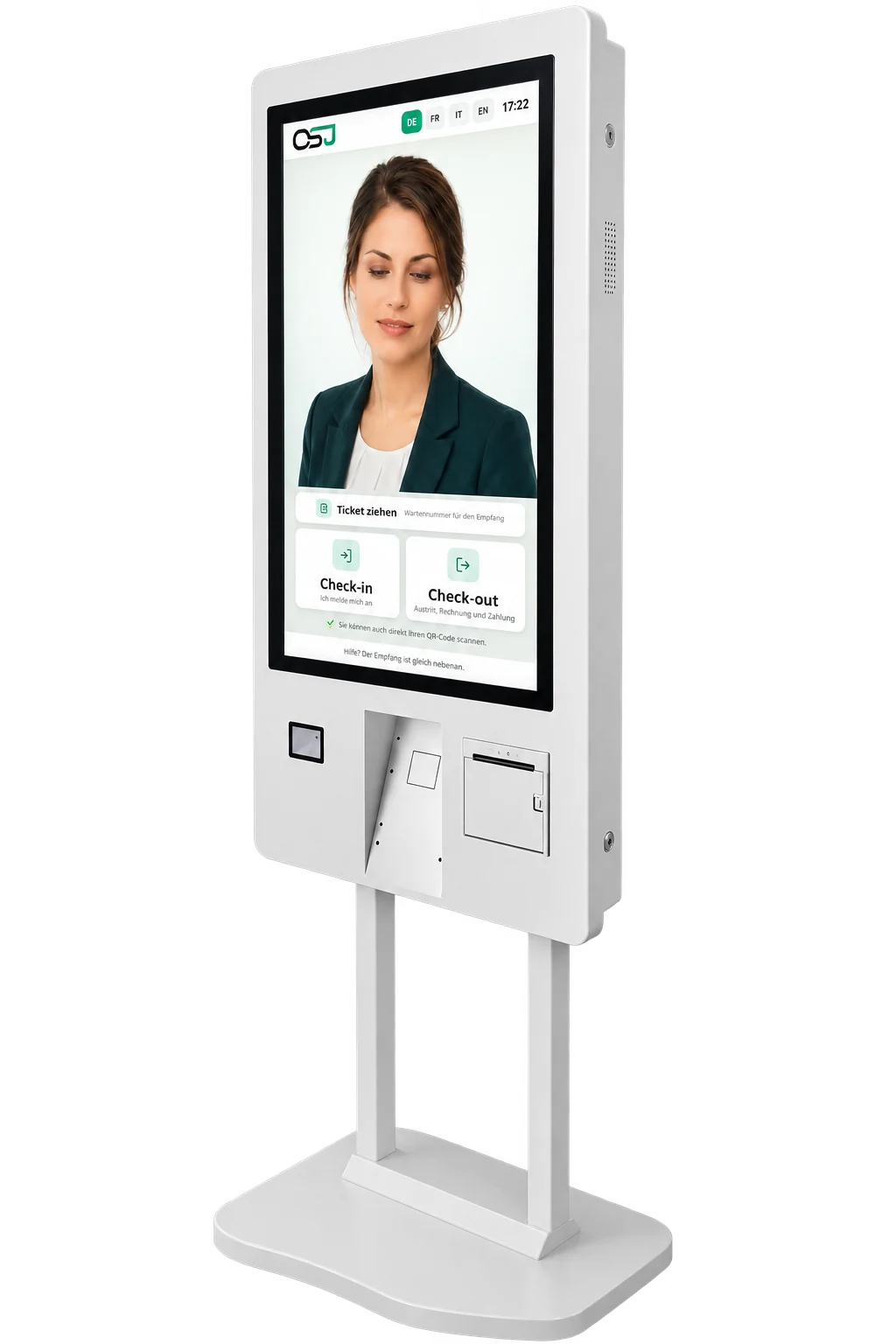
A terminal guides patients through their first and last steps at the clinic. Personal support remains part of reception – digital workflows free up time for it.
QR code, access code or insurance card: there are several ways to check in. Reception remains involved for confirmation.
Choose a language and proceed step by step – with a talking avatar if desired. A printed slip showing the ward, room and directions helps with orientation.
View the bill, pay by card or sign to be invoiced. Receive the receipt directly at the same terminal.
OS Board connects digital reception with the HIS, ward systems and billing. Responsibilities and data access are planned to fit your workflows.
 OS Journey
The patient's view connects the steps. The shared data foundation and the systems on the ward complete the picture.
Appointments, advance information, access code and stay information in one place. The concept covers iOS and Android, as well as dedicated branding for departments and practices.
Push notifications accompany appointments and changes. Confirming, rescheduling or canceling creates a feedback channel between patient and clinic.
Self-check-in via QR code, insurance card or access code. A printed slip helps with orientation; reception remains involved for confirmation.
View the bill from the OS Board patient account, pay by card or sign to be invoiced. Receipt printed or in the app.
Follow-up appointments, medication plans and advice continue the support. The dossier plans follow-up care as part of a step-by-step expansion.
The patient portal concept connects preparation at home with workflows at the clinic. Features and integrations are agreed on a project basis.
One portal, three ways to access it: web browser, iOS app, Android app – a shared data foundation in OS Board.
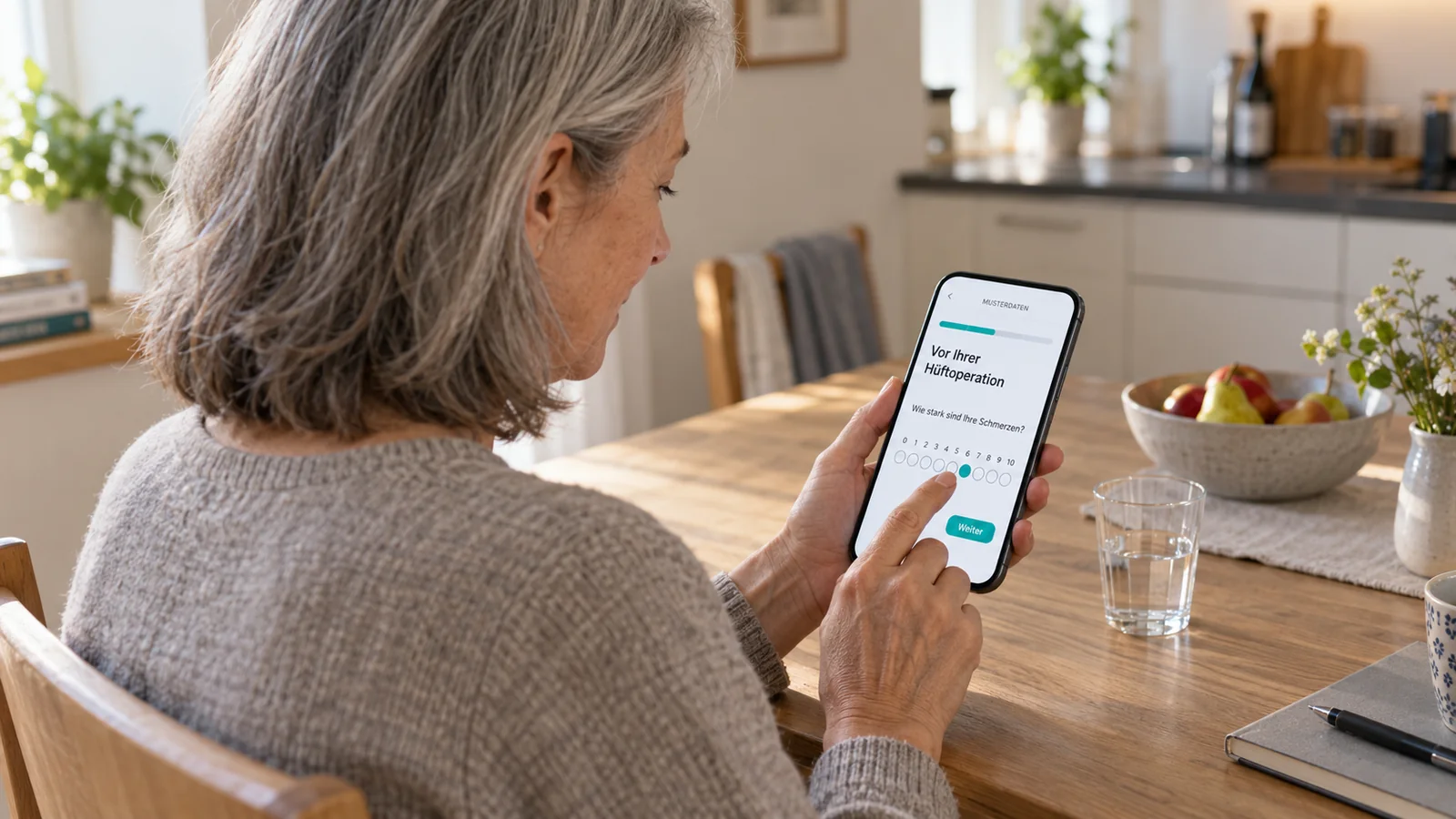
The clinic creates its own forms, medical history questionnaires, and follow-up questionnaires in the designer, without programming. Required fields, conditions, and scores can be configured, with questionnaires available in four languages.
Documents, questionnaires, and videos are sent automatically along the care pathway, for example 7 days before surgery or 6 weeks after discharge. Reminders support the next steps.
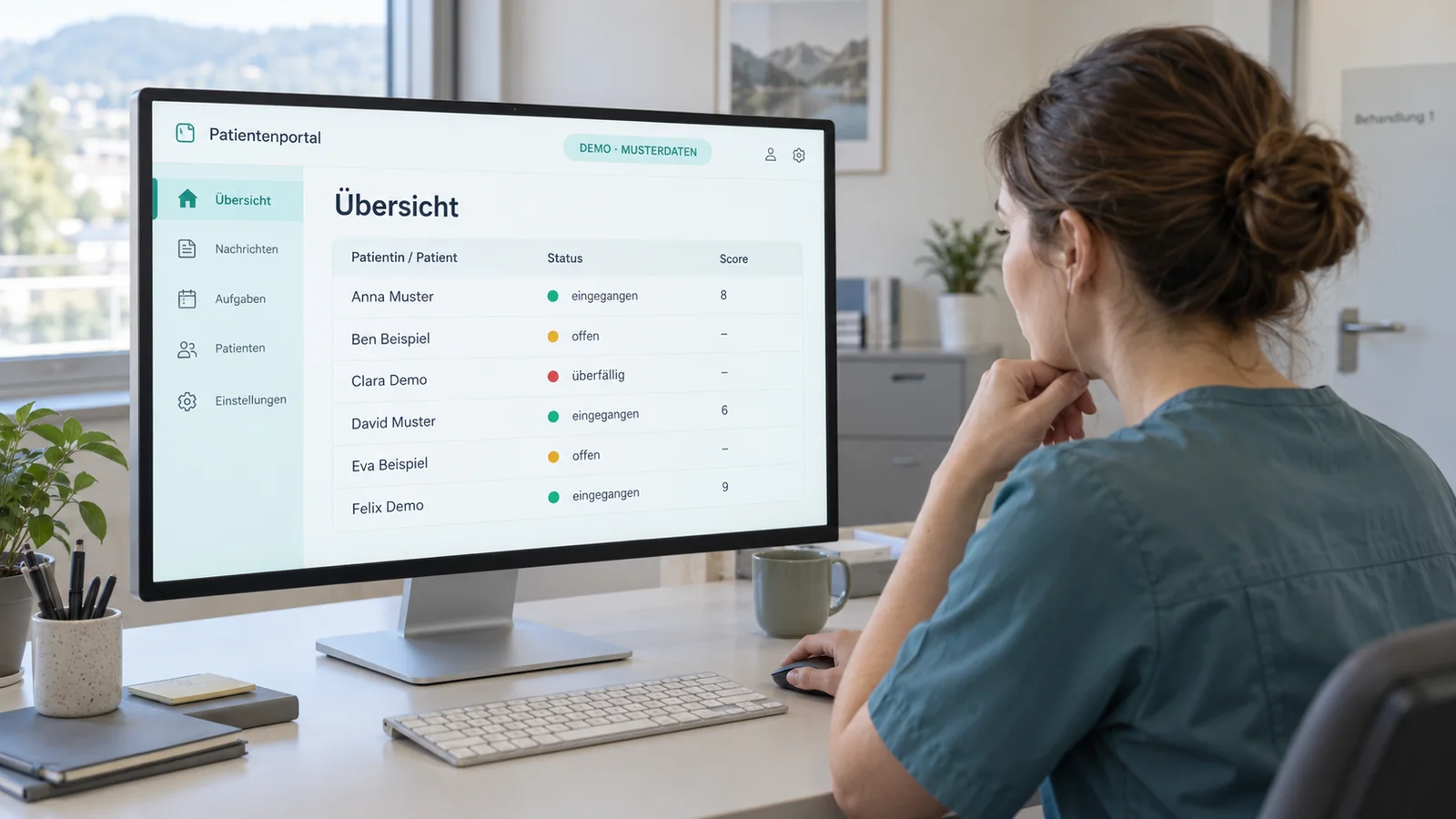
Received, pending, or overdue: the overview shows a traffic-light status and score for each patient. Staff can send follow-up questions and approve responses directly from the dashboard.
Depending on the level of protection required, a personal link may be enough to access a questionnaire. Sensitive content can be accessed using a one-time code, a passkey with fingerprint authentication, or SwissID or AGOV.
Patients and the clinic exchange secure messages, upload and download documents, and access copies of invoices. Email contains only a notification, never the content itself.
An authorized representative receives clearly defined, limited access rights. These can be revoked at any time.
Appointments can be requested or booked online, and personal and insurance details can be confirmed from home. Reception staff see the current status through a traffic-light indicator.
Join the consultation directly from the appointment. Video consultations use the same video module as OS Panel.
Structured data in the FHIR standard connects the portal through OS Board to hospital information systems (HIS), data platforms, and research systems such as REDCap. Interfaces are implemented on a project basis.
The concept provides for operation in the clinic’s own data center or a Swiss private cloud, without a hyperscaler. Data protection follows the Swiss Federal Act on Data Protection and applicable cantonal data protection law.
Depending on the level of protection required, a personal link may be enough to access a questionnaire. Sensitive content can be accessed using a one-time code, a passkey with fingerprint authentication, or SwissID or AGOV.
OS Journey guides the patient. OS Board passes the events on to the connected systems; in an AQURA installation, they reach the responsible teams as a workflow.
Check-in at the terminal informs the destination ward via OS Board and AQURA. Reception confirms the registration, and the ward can prepare for the admission.
Hospitality and service requests from the patient app can take the same route as those from the OS Panel – with feedback to the patient.
After discharge, a cleaning order is created and bed management is informed. Only once "Room ready" is confirmed is the bed released; checkout alone does not replace this confirmation.
OS Board is the data hub linked to the leading hospital information system. Other products take on their own tasks – from the ward overview to device management.
Data hub and bed management; extended nursing and staff planning as a future expansion stage.

Bedside terminal for information, entertainment, communication and orders.

Visualization of ward information and workflows in the Digital Whiteboard.

OS Mobile Device Management looks after terminals, panels, tablets and smartphones.
OS Journey is planned around your processes. The dossier describes a modular solution concept; we agree on the specific scope and sequence together.
The complete solution dossier (PDF) Version 1.2 · 12 September 2026 · also covers OS Board, Whiteboard and other productsReception, IT and clinical departments define workflows, priorities and goals in a workshop.
Plan digital reception, app appointments and data integration via OS Board for an initial area of use.
Include further areas and follow-up care. The ward map and extended nursing planning are separate expansion topics of OS Board.
OS Journey supports the digital patient journey – with appointments, a patient app, digital reception, check-in, checkout and follow-up care. Connected to the shared data foundation of OS Board. Termine, Informationen und Check-in-Zugang an einem Ort. Digitaler Empfang mit Self-Check-in und Rückmeldung an das Team. Checkout und Nachsorge führen die Patientenreise weiter. For use in a hospital, functions, responsibilities and interfaces are planned around your existing systems. Neutronix provides consulting and integration. Together, we clarify which components fit your processes and how they work with the OS Board product family.
OS Journey supports the digital patient journey – with appointments, a patient app, digital reception, check-in, checkout and follow-up care. Connected to the shared data foundation of OS Board.
For use in a hospital, functions, responsibilities and interfaces are planned around your existing systems. Neutronix provides consulting and integration. Together, we clarify which components fit your processes and how they work with the OS Board product family.
Contact Neutronix to discuss your requirements. The contact form lets you request a product demo or a consultation.
An idea, a challenge, a specific project.
We listen – and think it through with you.